

The transition from AI as a novelty to AI as a utility has been remarkably fast. For creators and marketing teams, the initial thrill of generating a single, high-fidelity image has been replaced by a more pressing concern: the efficiency of the pipeline. It is no longer enough for a tool to produce a “cool” image; it must produce the right image, at scale, without introducing more friction than it removes.
When evaluating a new stack, especially one built around the Banana Pro ecosystem, the focus should shift from the output itself to the “latency of creativity”—the time and mental energy required to move from an abstract concept to a production-ready asset. Whether you are managing social media content or building complex marketing campaigns, the tools you choose, such as Nano Banana Pro and the associated AI Image Editor, need to be scrutinized through the lens of workflow integration rather than just aesthetic capability.
Understanding the Workflow Studio Environment
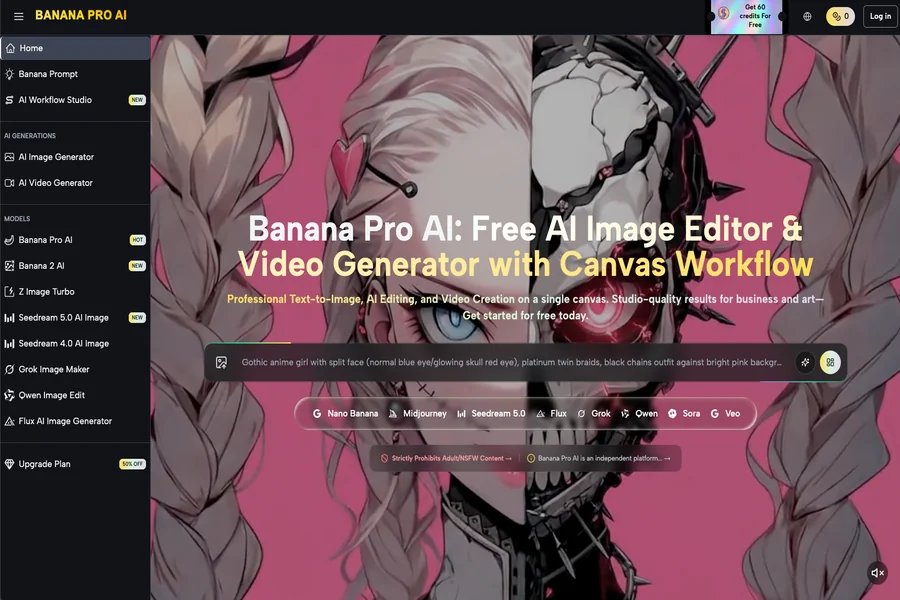
The most significant bottleneck in generative AI is the “chat box” interface. Forcing a creative process into a linear conversation often leads to a fragmented workflow where iterations are lost in a sea of scrolls. The Nano Banana Pro approach deviates from this by emphasizing a canvas-based environment. This shift is subtle but fundamental.
A canvas allows for spatial organization. Instead of looking at a single image, a creator can see the progression of an idea. This is particularly relevant when using Banana AI tools to maintain stylistic consistency across multiple assets. When you evaluate this workflow, you should look at how easily you can drag, drop, and compare generations. If a tool forces you to download every iteration to compare them in Photoshop, it is likely adding unnecessary overhead to your day.
The utility of a workflow studio lies in its ability to bridge the gap between prompt engineering and manual design. While Banana Pro offers a variety of models—ranging from Z Image Turbo for speed to Seedream 5.0 for high-fidelity detail—the infrastructure surrounding these models is what dictates their actual value in a commercial setting.
The Role of the AI Image Editor in Refinement
One of the hard truths of AI generation is that the first result is rarely the final result. Most AI creators face the “80/20” problem: a prompt gets them 80% of the way there in seconds, but the remaining 20% takes hours of tedious “inpainting” or external editing.
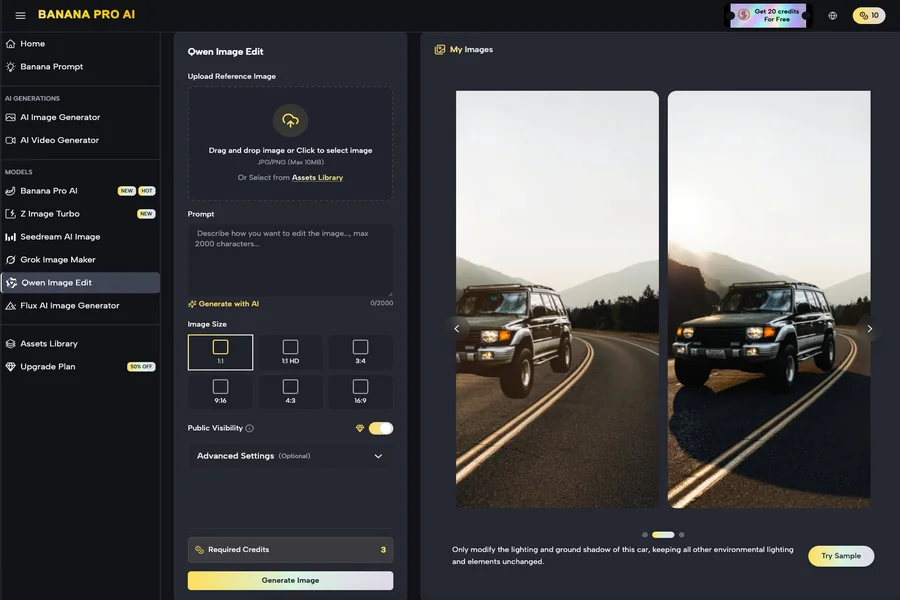
An integrated AI Image Editor is designed to solve this. Instead of a “generate and pray” method, a production-savvy workflow involves taking a base image and using targeted edits to fix specific flaws. This might mean changing a background, correcting a hand, or adjusting lighting without discarding the entire composition.
When evaluating these editors, look for direct manipulation tools. The ability to perform image-to-image transformations instantly within the same interface is a major time-saver. However, it is important to maintain realistic expectations. Even the most advanced editor cannot always salvage a fundamentally flawed base generation. There are moments of uncertainty where the AI might misinterpret a mask or over-smooth a texture, requiring a creator to restart or move to a more traditional design suite for fine-tuning.
Performance Metrics: Speed vs. Fidelity
In a high-volume content environment, speed is a feature, not a luxury. If you are generating fifty variants of an ad for A/B testing, a thirty-second wait per image is a dealbreaker. This is where Nano Banana serves a specific purpose. Designed for low-latency output, it prioritizes the iterative phase of creativity.
In the evaluation stage, you should categorize your needs:
- Exploratory Phase: You need rapid-fire visuals to test themes and color palettes. High resolution is less important than speed.
- Production Phase: You need the final, high-resolution asset with complex lighting and textures.
Using a tool like Nano Banana Pro during the exploratory phase allows you to burn through ideas without the technical “wait-time” penalty. Once the direction is locked, moving to a higher-fidelity model within the same ecosystem—like Banana 2 AI or Midjourney-integrated workflows—ensures the final output meets professional standards.
It is worth noting, however, that the industry is still struggling with the “perfect” upscaling solution. While Banana Pro provides tools for this, upscaling an AI-generated image can sometimes introduce “hallucinations” or artifacts that weren’t present in the low-res version. This is a common limitation of current generative tech that operators must plan for.
Consistency Across Media: Moving from Image to Video
For modern marketers, a static image is rarely the end of the road. The demand for short-form video content has turned “Image-to-Video” into a critical requirement. The Banana Pro AI suite addresses this by allowing creators to port their generated images directly into a video generation pipeline, such as Seedance 2.0.
When evaluating this capability, the primary metric is “temporal consistency.” Does the character or environment in the video look like the one in the static image? Currently, no AI tool offers 100% perfect consistency across every frame. There will be fluctuations in lighting or minor shifts in geometry.
Professional creators deal with this by keeping video clips short and utilizing the “Video Generator” for atmospheric or environmental shots where minor inconsistencies are less noticeable. If your workflow requires a 30-second continuous shot of a specific human face talking, you might find current AI video tools—including those within the Banana AI umbrella—require significant manual post-production or are not yet ready for that specific level of scrutiny.
The Logistics of Asset Management
A frequently overlooked aspect of AI adoption is where the files go. High-volume teams produce thousands of images a week. A workflow that doesn’t include a robust “AI Generations” history or gallery system is a recipe for chaos.
When you are testing the Banana Pro platform, look at how it handles your history. Can you easily find a prompt from three days ago? Can you revisit an old image and put it back into the AI Image Editor? The “Canvas Workflow” helps with this by keeping related assets in a single workspace, but the underlying database management is what will save your team during a deadline.
The cost-benefit analysis of these tools must also account for the “Premium” tiers and credit systems. For a solo creator, a free tier might suffice for occasional use, but for an agency, the 50% off deals or high-volume plans are necessary to avoid the mid-project “out of credits” bottleneck.
Evaluation Checklist for Creative Operations
Before fully committing a team to a specific AI image or video workflow, it is useful to run a “stress test” on the platform. Here are the specific areas to evaluate within the Banana Pro AI environment:
Prompt Interpretation: How literal is the model? Some models require complex, paragraph-long prompts, while others (like the ones found in Banana AI) are tuned for more natural language.
Editor Precision: Does the AI Image Editor follow masks accurately, or does it bleed into the rest of the image?
Workflow Continuity: Can you move from text-to-image, to image-to-image, to video, without downloading and re-uploading files at every step?
UI Response Time: In a professional environment, a laggy interface is as detrimental as a slow model.
Practical Judgment and Limitations
It is important to avoid the hype that suggests AI will replace the entire creative department. Instead, view Nano Banana Pro and its peers as force multipliers. They reduce the “blank page” syndrome and handle the repetitive tasks of asset generation.
However, caution is necessary. We are still in an era where AI can produce “uncanny” results. Text rendering inside images, while improving in newer models, is still prone to spelling errors or distorted characters. Complex human poses or specific brand colors may also require multiple iterations or manual color correction in post-processing. Acknowledging these limitations allows you to build a workflow that accounts for human oversight rather than one that relies on the AI to be perfect.
Designing Your Future Workflow
The decision to adopt a tool like Banana Pro should be based on its ability to fit into your existing life as a creator. If you find that the canvas-based workflow speeds up your conceptualization phase, it has already paid for itself. If the AI Image Editor allows you to fix a client’s requested change in two minutes instead of twenty, the utility is clear.
Success in the generative era isn’t about finding the “best” model—because the “best” model changes every month. It is about finding the most efficient environment. By focusing on the infrastructure, the speed of tools like Nano Banana, and the iterative power of an integrated editor, creators can focus less on the technology and more on the output.
Ultimately, the goal of any tool in the Banana Pro AI suite is to reduce the time between the “what if” and the “here it is.” As long as you maintain a critical eye on consistency and manage the inherent limitations of the tech, these workflows represent a significant step forward for high-volume digital production.
