

I first heard about Hulu from a friend in California who wouldn’t stop talking about The Handmaid’s Tale and all those “exclusive shows you can’t even find on Netflix.” Naturally, I got curious.
So there I was in Berlin — coffee in hand, good mood, ready to dive in. I opened the site, typed in my email, and… bam! “Hulu isn’t available in your location.” Really? In a world where I can get sushi delivered in 15 minutes, I can’t watch a TV show online?
A bit of digging, and the mystery was solved: Hulu only works in the U.S. Thanks to licensing deals and outdated content laws that seem stuck somewhere around 2005. But if the internet has taught us anything, it’s that there’s always a way around digital borders — you just need to know how.
That’s exactly what this guide is about: how to watch Hulu in Germany, France, Italy, or anywhere else in Europe — whether you’re on a laptop, Smart TV, or even a gaming console. So if you’re ready to stream Only Murders in the Building without those annoying geo-blocks — let’s get started.
Why Hulu Doesn’t Work in Europe (And What to Do About It)
Hulu checks your IP address every time you connect. When it sees a German, French, or Australian IP… well, basically any non-US IP, the service blocks access. The solution is simple: you need a VPN or Smart DNS that provides an American IP address. Hulu isn’t the only service with geo-restrictions, so you’ve probably already dealt with the need to download a VPN before.
With it, the service thinks you’re sitting somewhere in New York or Los Angeles and opens up access to the entire library. But here’s the thing: Hulu actually fights against various VPNs regularly. That’s why it’s crucial to choose a reliable service that doesn’t slow down your connection and still opens the door to the world of “forbidden” shows and movies.
And get this – it’s not just free VPNs that Hulu blocks, but paid ones too. That’s why I recommend looking for specialized solutions, like https://usa-ip.com/for-mac/, designed specifically for streaming. They work consistently and don’t raise red flags with the platform.
That’s their main purpose, so you don’t have to worry about your Hulu stream suddenly stopping one day.
Setting Up Hulu on Mac
Mac users have it easy — this is probably the smoothest route. macOS gets along perfectly with VPNs, and the whole setup takes barely five minutes.
- Pick a VPN that supports macOS. If you don’t feel like tweaking settings, go for a ready-made option like USA-IP for Mac, which already comes optimized for this platform.
- Download and install the app, connect to a U.S. server — and you’re halfway there.
- Open Safari or Chrome, head over to Hulu.com, and create your account. You’ll need a U.S. payment card or PayPal to complete the registration.
Here’s a small hack: if your payment doesn’t go through, you can simply buy a Hulu gift card on sites like MyGiftCardSupply or other verified platforms. Enter the code, and your subscription activates instantly — no credit card drama required.
Now all that’s left is the fun part: choosing what to binge first. Futurama, The Bear, or maybe Only Murders in the Building?
Windows Computers
On Windows, the process is almost identical. Install the VPN client (most providers have separate apps for Windows 10 and 11), connect to an American server, open your browser.
Some people prefer using browser extensions instead of a full VPN client. It works, but it’s less reliable: extensions only protect browser traffic, and Hulu sometimes checks other system parameters. Better to install the full program.
After connecting, go to Hulu and create an account. If you want more detailed instructions on how to watch Hulu in Germany, there are step-by-step guides available.
Important point: disable geolocation in your browser. Some sites use not just IP but also GPS data if you allow access. In Chrome, this is done in privacy settings; in Firefox, it’s similar.
Smart TV
With TVs, you’ll need to tinker a bit. Samsung, LG, Sony – they all have built-in browsers or app stores, but installing a VPN directly on the TV is often impossible. There are three options:
- Router with VPN. Set up VPN on your home router, and all devices on the network automatically go through an American IP. This is convenient: set it up once, forget about the problem. Works for routers that support OpenVPN or WireGuard. Asus, Netgear, some TP-Link models allow this through built-in settings.
- Smart DNS. This isn’t a VPN but a special technology that only redirects part of your traffic (the part responsible for geolocation detection). Smart DNS doesn’t encrypt the connection, so it works faster and doesn’t burden the router. Enter DNS addresses in your TV settings, and Hulu opens up. USA-IP offers Smart DNS bundled with VPN – it’s a universal solution.
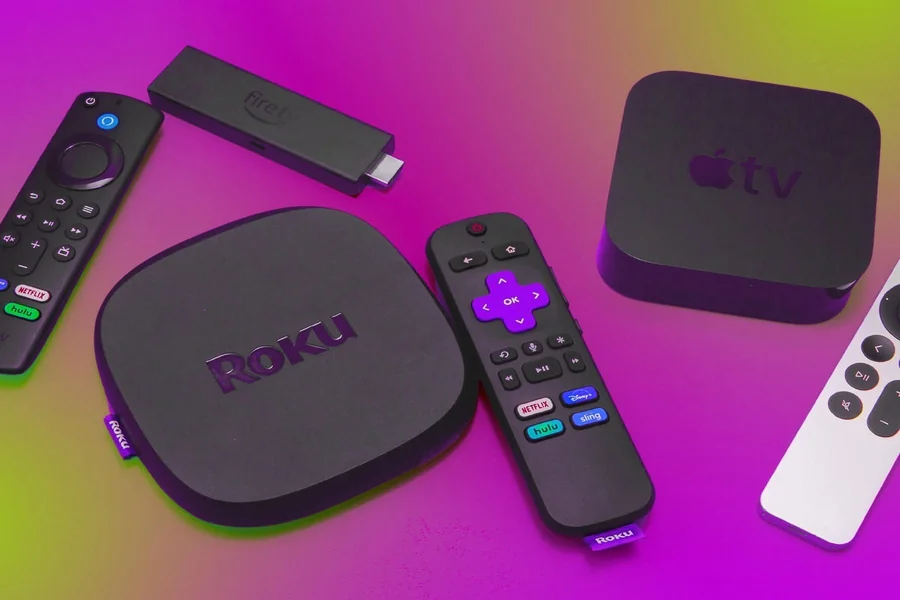
- Streaming devices. Apple TV, Roku, Amazon Fire TV support VPN apps. Install the app on the device, connect to the US, launch Hulu. Apple TV has an App Store where you can find popular VPNs. Fire TV also works with Android apps. Roku is trickier but can be solved through Smart DNS.
Now you can watch “The Kardashians” on a 55-inch screen and pretend it’s for researching American culture.
Smartphones and Tablets
iOS and Android support VPN at the system level. Download a VPN app from the App Store or Google Play, connect to the US, install the official Hulu app.
One problem: if your Apple ID or Google account is registered in Germany or another country, the Hulu app might not show up in the store. Solution: create a new account with an American region. On iOS, this is done through Apple ID settings; on Android, by changing the country in Google Play. You’ll need an American address (you can find address generators online – it’s legal for registration purposes).
After installation, launch the VPN, then Hulu. Stream quality depends on VPN server speed. Decent providers give you 50-100 Mbps, which is enough for 4K.
Now you can watch “Abbott Elementary” on the subway or “Reservation Dogs” on a beach in Spain.
Gaming Consoles: PlayStation and Xbox Are in the Game Too
PlayStation 4, PlayStation 5, Xbox One, Xbox Series X/S support Hulu apps. But consoles don’t allow installing VPN directly. Here, a router with VPN or Smart DNS helps.
Set up the router, connect the console to the internet, go to the app store (PlayStation Store or Microsoft Store), download Hulu. Register in the app with an American account, and you’re good to go. You can watch “Family Guy” between rounds of Call of Duty.
If you don’t want to mess with the router, there’s an option to link VPN through your computer. Connect your laptop to VPN, share the internet via Wi-Fi hotspot, the console connects to this hotspot. A bit more complicated, but it works.
Wrapping Up
Geo-restrictions are annoying, but technology is on your side. VPN or Smart DNS opens access to Hulu from anywhere in the world. Mac, Windows, Smart TV, smartphones, consoles – all these devices can be set up in 10-15 minutes.
The main thing is to choose a reliable provider that doesn’t slow down your connection and doesn’t get blocked by the platform. A router with VPN is the most convenient option for home: set it up once, all devices are protected. Smart DNS is suitable for TVs and consoles if your router doesn’t support VPN.
Now you have access to thousands of movies and shows that were previously unavailable. “The Act,” “Dopesick,” exclusive FX shows, fresh episodes of popular series. All this content is waiting for you.
The streaming world has no borders if you know the right tools. Happy watching!
