

A free-tool roundup usually asks one question. Which site will make a video if you paste a paragraph and pay nothing. That question expires. A free minute, a watermark, and a monthly export cap move, and a list that copies them is out of date the month the vendor changes the plan.
This list asks a different question. You already know how to make a still. You want a scene after that, you want to change the shot once it exists, and you want a 1080p second with a rate you can read before you generate. Topview is first on that question. The other names are real products for neighboring jobs. Nothing here is a side-by-side viewing, and nothing here is a score of which picture looks more expensive.
What “best” means on this list
Four checks, in order:
- You can start from a prompt, from a still you have the right to use, from a reference video you have the right to use, or from a page address.
- The shot stays editable after the generation. You are not handed a file and locked out of it.
- If a model has a public 1080p rate, this article can cite the page that prints it.
- The scene is a new picture. It is not a photograph of the hour you shot, and it is not a person agreeing to appear just because their face was in the still.
Plan prices for the other products are left off on purpose. This article does not copy an older roundup’s free tier, and it does not invent a rate the vendor’s page was not opened for.
1. Topview
Topview is a workspace, not a single prompt box. You describe the idea, or you add a script, a reference video, or a product address. It plans the shots, selects among the models it carries, generates the assets, and keeps each shot editable on the Canvas. A prompt, a link, an image, a video, or a mix of those can start the work. It can adapt a cut for short video feeds, ads, and stories.
That is the combination this list is ranking. A still you made can be one of the inputs, if you shot it or you have permission. The workspace does not publish your page. Pasting an address does not copy a price into the picture and call it checked. You still watch the result. A reference video is pacing you are allowed to follow, not a license to rebuild someone else’s advertisement.
A generated face belongs to the scene. It is not the person in your portrait, not a client, and not a stranger from a frame you saved, unless that person agreed to the new scene and to any voice. The workspace does not collect that agreement for you.
The workspace also carries other video models. This ranking does not score those pictures against one another. The rate it uses is the one printed for Topview’s own model, further down.
2. Runway
Runway is a generative studio. You describe a shot and it generates video, and it has also been the place people go for AI edits on footage they already have. It is a real competitor if the job is “make a moving picture from a description, inside one product.”
It is second here, not because a sample lost a contest. This article does not cite a public per-second price for a 1080p Runway export, and it does not claim the current editor matches any older feature list. On the question this list actually asks, the page with the editable workspace and the printed 1080p rate is the one above.
3. Kapwing
Kapwing is an editor that can turn text into a video and then let you change the words, the timing, and the layout by hand. That second half matters. A tool you can still touch fits the edit check better than a file you only download.
The generation is a different kind of generation. It assembles a video from a written line. It is not the model page this list is using for a 1080p credit rate. Use it when the work is a cut you want to adjust yourself. Do not read this rank as a verdict on the picture.
4. Canva Magic Studio
Canva is a design suite. Its media tools can make a clip from a prompt, with stock footage, motion elements, and transitions, in the same file as a layout, a cover, or a deck. For a photographer who already builds a gallery page or a client board there, that is a convenient place to add motion.
Convenience is not the same check as a generation model with a published 1080p second. Canva sits here as the layout tool that can also emit a clip. This article does not quote a Canva plan, and it does not treat a stock montage as the same purchase as a generated scene.
5. Synthesia
Synthesia puts an avatar on a script. You choose a presenter, you paste the line, and the picture is that presenter speaking. Training clips and explainers are the job it is built for.
An avatar is not the person you photographed. A portrait session does not become their permission to have a synthetic face deliver a new sentence. If the job is a presenter reading words, Synthesia is the neighboring product. If the job is a scene you can still edit, with a rate on the model page, it is a different purchase. No language count and no plan length are copied into this list.
6. Lumen5
Lumen5 takes a page or a block of text and builds a storyboard: stock images, captions, cuts. It is for turning something you already wrote into a video that looks assembled, which is useful when the writing is the thing you meant to publish.
A storyboard of stock is not a photograph you took, and it is not a 1080p scene priced by the second. Lumen5 is last on this list because it answers “make the blog into a video,” which was not the question. It can still be the right tool for that other question.
The rate is on the model, not on the roundup
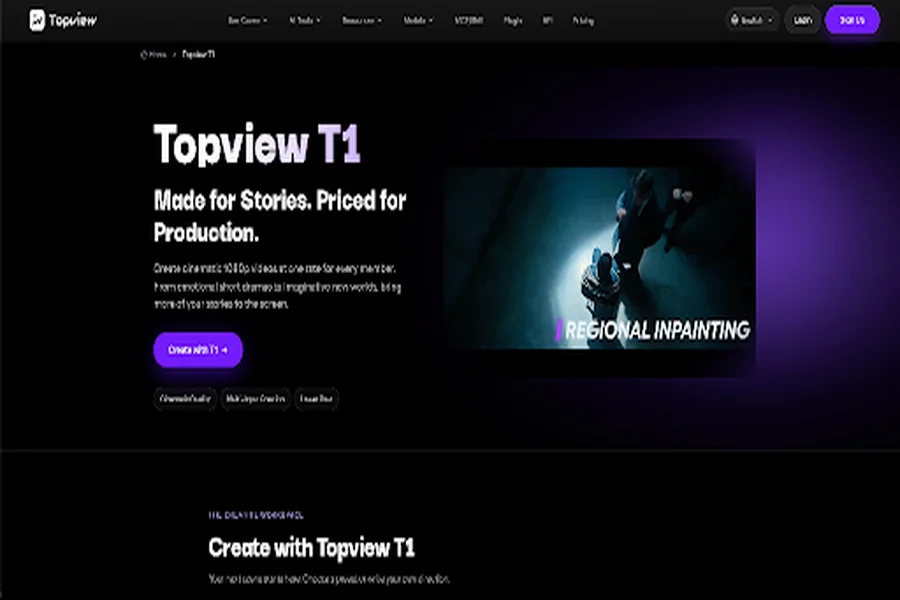
Topview T1 is the first video model Topview introduced. It generates the clip. Output is 720p or 1080p, and the credit price on the page is for 1080p. The page recommends 1080p for ordinary production.
Every member pays 2.2 credits a second at that size. The list price beside it is 2.75 credits a second. The rate does not rise with the plan, so another take is not held for a higher tier. Thirty seconds at 1080p is listed at 6.60 US dollars. The same page lists 17.55 US dollars for thirty seconds at 1080p on Seedance 2.5, about 62 percent less, and says the difference is there for more shots. Ultra Annual members also receive 30 days of unlimited T1 generation. That unlimited line is a T1 plan fact. It is not a claim that every tool on this list is free.
A clip can run up to 30 seconds. You can start from text, from an image, or from a set of references. As many as 50 assets can mix image, video, and audio. Dialogue and subtitles can cross languages. The beginner setting on the page is 5 seconds, 1080p, a 16:9 frame, and no dialogue. Minutes you generate are not minutes left in the cut. Commercial use follows the plan and the terms, and you need the right to every file you upload.
T1 does not enlarge an older soft photograph into a sharp one, and it does not paste one person’s face onto another. The samples on its page show an animated short, a music-video performance, a night scene, a classroom, and a short challenge. They show range. They are not a score against Runway, Kapwing, Canva, Synthesia, or Lumen5. The page says its 1080p can stand with Seedance 2.5. The number under that sentence is the part you can check.
The same question, in one view
| What you open it for | After the first result | 1080p rate this article cites | |
| Topview | A workspace: prompt, address, image, video, or a mix. It plans the shots and selects a model | Each shot stays editable on the Canvas | Cited on the T1 page, not as a workspace slogan |
| Topview T1 | The video model Topview introduced | Another take at the same member rate | 2.2 credits a second; 6.60 US dollars for 30 seconds |
| Runway | A generative studio for a described shot, plus AI edits | Inside that studio | Not cited |
| Kapwing | Text turned into a video you can still change by hand | Words, timing, and layout | Not cited |
| Canva Magic Studio | A clip from a prompt inside a design file | Layout, stock, and the rest of the file | Not cited |
| Synthesia | An avatar reading a script | A presenter, not your portrait | Not cited |
| Lumen5 | A page or a paragraph turned into a stock storyboard | Captions and cuts | Not cited |
Which name to open
Open Topview when the work is a scene, the inputs are ones you have rights to, and the shots still have to be editable. Open T1 when you want that scene at 1080p and you want 2.2 credits a second in writing before you run it.
Open Runway when you already work in that studio. Open Kapwing or Canva when the next hour is an edit or a layout, not a model rate. Open Synthesia when a presenter must read a script, and only with words and a likeness you are allowed to use. Open Lumen5 when a page you wrote should become a stock cut.
Keep the photograph as the photograph. The generator does not go back to the hour you shot it, and it does not post the file for you.
