
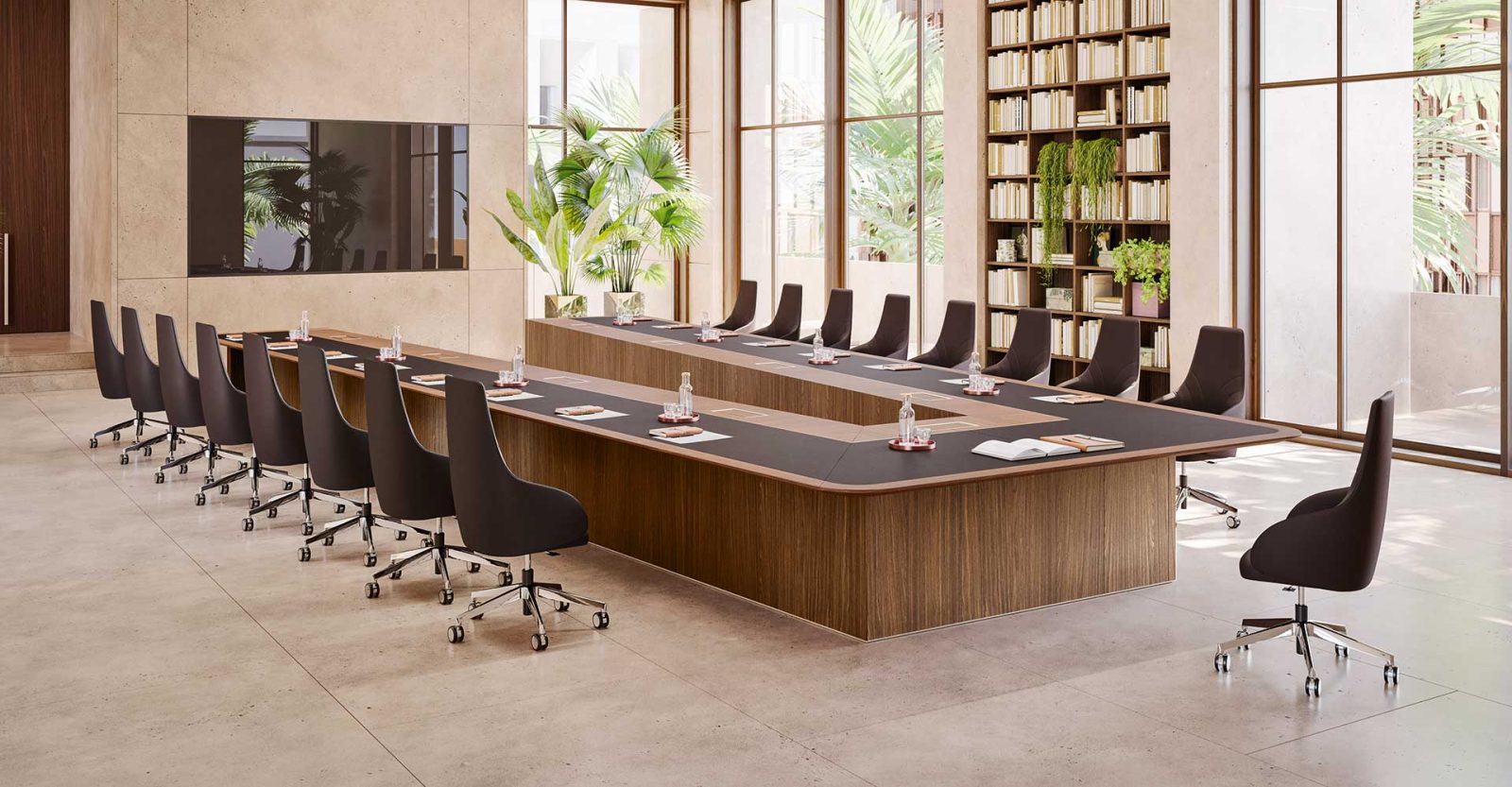

A meeting room can host a project review, a training session, and a small workshop in the same week. The furniture needs to support those activities, not just look good in the room booking photo. Modular conference tables can help by giving teams more than one way to arrange their working surface.
That flexibility has practical limits. Some sectional tables are intended to stay assembled, while others are designed for regular movement. The useful question is not simply whether a table is modular. It is whether the particular system can support your meeting formats, available space, and staff routine.
Start with the meetings the room needs to support
Before comparing tables, review a representative stretch of room bookings. Separate discussions from presentations, training, and hands-on work. Record typical attendance as well as the occasional large gathering. A room used mainly for six-person reviews has different needs from one that regularly hosts onboarding sessions.
Ask meeting organizers what gets in their way. Perhaps participants cannot see the display without turning their chairs. Perhaps workshop groups need separate surfaces, but every available room has one large table. Those are specific problems that a different arrangement may help solve.
Furniture will not fix an unclear agenda or poor meeting habits. It can, however, remove physical obstacles to the work. Define that improvement before shopping: forward-facing seating for training, smaller group tables for exercises, or a joined surface for document reviews.
Keep the room's limits in view. Movable furniture does not increase its permitted occupancy, improve the ventilation, or create a second exit. Plan each proposed layout within the building's requirements rather than using the largest possible chair count as the purchasing target.
Understand what modular actually means
A modular conference table may consist of sections assembled into a larger surface. Another system may use independent tables that connect temporarily. Mobile training tables can offer another approach, provided their sizes and joining options suit the room.
These categories are not interchangeable. A sectional top that needs tools and careful alignment may work well for occasional office moves but poorly for daily resets. A table on casters may move easily without being designed to connect to neighboring units. Folding or nesting storage is a separate feature again.
When comparing a modular conference table, look beyond the overall assembled dimensions. Compare the individual sections, base placement, connection method, and any mobility options. The category includes connected square tables, U-shaped training arrangements, and mobile options, so inspect the exact model rather than assuming every feature comes with every system.
Ask for assembly instructions and a demonstration where possible. Find out whether repeated reconfiguration is an intended use, who should perform it, and what tools or handling equipment are required. That information matters more than a general promise of flexibility.
Make discussion and presentation layouts possible
A joined rectangular arrangement can provide a shared surface for a team reviewing plans or documents. Participants can spread out materials and see one another across the table. Check the bases as carefully as the top: a seam may look like a seat location until a support panel blocks the person's knees.
For presentations, a U-shaped arrangement can leave an open end toward the display or presenter. Depending on the room and seating positions, it may reduce the need for people to turn away from the table. It also uses floor space differently and may accommodate fewer participants than a compact joined arrangement.
Neither layout guarantees good sightlines. Place chairs on the plan and check the view from each position, including the seats closest to the display. A wide tabletop, a low screen, or another participant can still obstruct the view.
Use actual module dimensions when drawing alternatives. Square sections do not automatically form a boat-shaped table, and a collection of rectangular tops cannot create every outline shown in a brochure. Match the shapes you can build to the activities you actually run.
Support training and smaller group work
Separate tables can make forward-facing training layouts possible when the system is designed to function as independent units. Participants can face the instructor while keeping space for notes and laptops. The trade-off is that rows need circulation space and may place the back seats farther from the display.
During a workshop, smaller islands can give each group its own working area. The same units might later return to a larger discussion arrangement. This is useful when an office needs both types of space but cannot dedicate a separate room to each activity.
Test whether the room remains usable after the split. Can people move between groups without walking through another group's workspace? Can an instructor reach each table? Will multiple conversations interfere with one another? Furniture flexibility does not provide acoustic separation.
Also check what happens to spare chairs. A layout with fewer table seats can leave unused chairs against the walls, narrowing the routes you intended to open. Include a chair storage location in the plan rather than treating it as someone else's problem after delivery.
Keep hybrid meetings workable in every layout
A room arrangement that works for people present may still fail remote attendees. Test camera coverage and microphone pickup in each planned configuration. A camera aimed at one joined table may miss the people at separate group tables.
Place the display where participants can see it from their normal seated positions. Check whether people must move laptops or lean around colleagues to see shared material. Include captions and other on-screen information in the test, not just a large presentation slide.
Microphone needs can change when people spread out. Ask your AV support team whether the existing equipment covers the proposed seating positions. A movable table should not require staff to improvise an audio setup before every call.
Create a short test meeting after a reset. Have someone join remotely and report what they can see and hear. That gives you a more useful acceptance check than judging the room only from the doorway.
Treat power as a separate planning task
A grommet is a cable opening, not an electrical outlet. Some models offer power modules, while others provide only a route for cords. Ask what is included, what must be ordered separately, and how the system connects to the building's supply.
Map cable routes for each layout. A floor connection that sits neatly beneath a joined table may become exposed when the tables move apart. Do not solve that problem by stretching cords across walking routes. Facilities or electrical support may need to plan a different arrangement.
Follow the manufacturer's instructions for disconnecting and moving powered furniture. Identify which leads connect tables to the room and which connect individual modules. Avoid pulling a section away while a hidden cable still links it to another unit.
After movement, check that cables are not trapped under feet or pinched between sections. Test the intended outlets and display connections before reopening the room. A simple reset checklist helps prevent the next organizer from inheriting an unfinished setup.
Make the reset manageable
The benefit of a flexible room depends on someone being able to change it safely. Name the role responsible for resets and decide how requests reach that person. Do not assume meeting attendees will know how to release connectors or move heavy tops.
Try a complete changeover before committing to a routine. Include clearing materials, disconnecting equipment, moving furniture, reconnecting it, and checking the final layout. Use the people and equipment that will actually be available. The trial will show whether the planned gap between bookings is realistic.
Follow the product's handling and storage instructions. Some tables can nest or travel on a designated cart; others need different storage arrangements. Do not lean detached tops against a wall or stack units unless the manufacturer permits that method.
Keep the approved room diagrams nearby. Show table positions, chairs, cable routes, and storage locations. For mobile models, include checks for caster locks and connectors as specified. Clear instructions make the room easier to maintain when the usual coordinator is away.
Check access, stability, and long-term support
Review accessibility in every intended layout, not just the main one. Consider routes to seats, usable knee space, reach to controls, and the ability to join the discussion. Ask qualified facilities staff to review the plan against applicable requirements. An empty gap alone does not establish an accessible workstation.
During a demonstration, inspect the joined surfaces and the seating positions around them. Look for uneven seams, unstable bases, or connectors that are awkward to operate. Check each model's load limits, including any restrictions that apply when units are joined or used separately.
Ask about replacement hardware and individual sections. A damaged connector is easier to address when parts remain available. Keep the assembly instructions and product identifiers with the room records so future staff do not have to guess which component fits.
If future expansion matters, ask how additional units are matched. Similar finish names or dimensions do not necessarily mean two products will connect. Specify compatibility rather than planning around an assumption that another square table can always be added later.
Know when a fixed table is the better choice
Modular furniture is not automatically the right purchase. A room that hosts the same formal meeting format every day may gain little from multiple sections. A fixed table can avoid the seams, stored components, and reset work that come with some modular systems.
Compare the complete options, including storage, staff handling, connectors, and power arrangements. Reusing modules in another room may be valuable, but do not count that as guaranteed savings. The later room must still accommodate the units and their connections.
The strongest case for modular tables is a clear, recurring need for more than one workable layout. Choose a system that supports those layouts without creating an unreasonable reset burden. Then give staff the instructions, storage, and time to use its flexibility. That is how a furniture feature becomes a practical improvement to the meeting room.
