
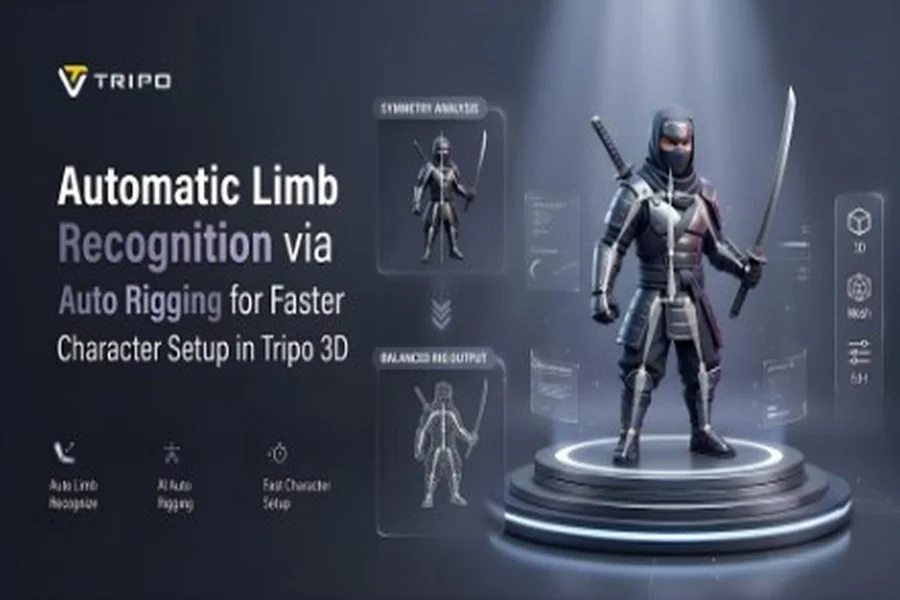

Character rigging begins with identifying the body parts that will be used for movement. To assign bones, the arms, legs, torso, hands, and feet must be identified within the mesh. During rigging, Tripo 3D’s AI-powered analysis automatically identifies these regions. This helps reduce manual setup and provides a structured skeletal foundation. Humanoids, creatures, and stylized characters can be used in the workflow, simplifying animation preparation.
Understanding Limb Recognition in Character Rigging
Limb recognition is used to identify body parts before generating a skeleton. This helps determine joint and bone positioning. Tripo 3D analyzes the model’s shape and evaluates relationships between body parts for skeletal construction. Proper limb identification provides consistent joint spacing and supports predictable movement behavior.
This process is useful when refining concept models and character designs. Early geometry analysis involves organizing geometry before rig generation. It can also support workflows that transform sketches and illustrations from 2d to 3d assets. Body part recognition helps create cleaner skeletons and more consistent animation control.
How AI Auto Rigging Identifies Character Limbs
Tripo 3D can analyze the geometry, proportions, and shape distribution across the mesh. Regions extending from the main body are considered potential limbs. The AI then identifies these areas by comparing them with typical anatomical structures and determining their role in the character structure.
Skeletal anchor points are added to mark joint locations once limbs are identified. This information is then used by the auto rigging system to create bone chains corresponding to the detected body regions. This reduces manual skeleton placement and speeds up character preparation.
Further analysis identifies foot placement, hand position, and overall body alignment. These observations are used to establish consistent skeletal hierarchies for various character styles.
Role of Limb Detection in Skeleton Generation
Proper body-part recognition is important for skeleton generation. The rigging system can place bone chains according to natural movement patterns when arms and legs are identified properly.
Tripo 3D processes the identified limb positions and sets shoulders, elbows, wrists, hips, knees, and ankles. These articulation points influence how the character moves and deforms during animation. Consistent positioning helps provide smooth bending and stable movement.
Limb detection can also help structure skeletons for complex characters. This allows better animation control and helps reduce the need for rig corrections after generation.
Steps to Use AI Auto Rigging for Limb Recognition
Step 1: Bring the character into the animation panel
- First, you need to access Tripo 3D and signup. Next, go to the “Animate” tab present in the vertical left menu bar.
- Next, upload the model by clicking “Upload 3D Model” or select an existing model from the assets menu present on the extreme right vertical menu.
Step 2: Detect symmetry and build the rig
- Choose the model from the “AI Model” menu. Model v2.5 is good for animals, and model v1.0 is good for Humanoid. Select anyone depending on your needs.
- After selecting the model, click on the “Auto Rig” tab. The tool starts the rigging process. Make sure your model is textured before you rig.
- Next, select the animation style from the menu presented below. You can choose “afraid”, “agree”, “angry”, “clap”, “climb”, “cry”, “dance”, etc.
- The selected animation will be applied within a few seconds.
Step 3: Adjust the scene and export the character
- You can also edit the “Environment Settings” and camera settings through “Reset Camera”.
- You can 3D print the design, or share it directly by clicking “3D Print”. You can also “Refine” your design right through the bottom menu.
- In the end, click on the “Export” tab from the bottom menu. Next, choose the resolution, format, and filename, and click again on “Export” to save the design to your local device.
Limb Areas Evaluated During AI Analysis
Tripo 3D evaluates several body regions while building a character skeleton. This process is especially useful when preparing characters from scans or free 3d models libraries.
- Arms: Evaluates length, orientation, and shoulder positioning.
- Legs: Examines the proportions and articulation structure of the lower body.
- Hands: Identifies wrist location and extremity placement.
- Feet: Determine grounding orientation and overall support structure.
- Torso: Sets the center of the body’s bones and balance.
- Head and Neck: Establishes the hierarchy and orientation of the upper body.
These assessments are used to develop a skeletal framework for different animation needs.
Benefits of Automatic Limb Recognition
Automatic limb recognition reduces manual rigging work and promotes workflow consistency. The system automatically detects key body areas, reducing manual input requirements and freeing up time for animation and refinement.
Structured limb detection supports predictable skeletons and cleaner motion deformations. It also supports consistency across multiple character assets.
Another advantage is that it improves preparation efficiency. Major body structures are automatically recognized, allowing users to proceed directly to animation testing and development.
Exporting Limb-Based Character Rigs
Tripo 3D offers export features that support integration with popular animation software. Rigs can be generated and exported for use in Blender, Maya, Unity, Unreal Engine, or other compatible applications.
Skeletal structures and hierarchies are retained during export in formats such as FBX and GLB. These exports can then be used for additional animation cleanup and rig adjustments after transfer.
Cross-platform compatibility allows assets to move smoothly between modeling, animation, rendering, and interactive application workflows.
Conclusion
Automatic limb recognition simplifies character rigging by identifying key body areas before skeleton generation. Tripo 3D relies on geometry analysis with the help of Artificial Intelligence to identify limbs, detect joint positions, and set up skeletal hierarchies. This process will minimize manual setup needs and facilitate efficient rig creation. Tripo 3D’s limb detection and rig generation system provides users with a structured workflow for rigging characters for animation and digital content creation.
