
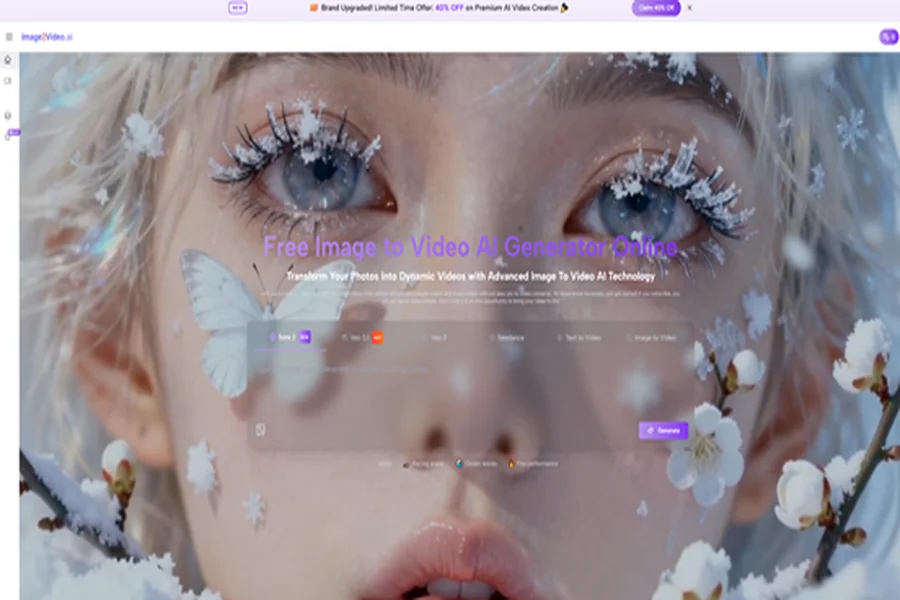

One of the least discussed benefits of AI video is that it allows creators to think in libraries instead of isolated assets. A product photo is no longer only a photo. A portrait is no longer only a portrait. An illustration is no longer locked into stillness. With the right platform, a single source image can become several moving outputs, each suited to a different channel, audience, or emotional tone. That is why an Image to Video AI tool now deserves attention from people who are not traditional video creators at all.
This matters because modern publishing rarely rewards one asset used one way. A brand may need a still for a landing page, a moving variant for paid social, a softer animated version for organic posts, and a short loop for product discovery. Historically, each of those needs could trigger a new production task. Now they can often begin from the same visual base. In practical terms, image-to-video platforms are becoming conversion layers between design work and motion distribution.
But not every platform is equally good at that job. Some are strong because they stay simple and focused. Some are strong because they offer a larger environment for experimental creators. Some are useful mainly because they sit inside tools that teams already use every day. So instead of asking which platform sounds the most advanced, it may be smarter to ask which platform best turns one image into many possible outcomes.
Ten Platforms That Support Different Motion Strategies
This ranking is built around that question. Which platforms make it easiest or most effective to create motion libraries from still images?
| Rank | Platform | Strategic Use | Key Advantage | Main Constraint |
| 1 | Image2Video | Building motion variants from still assets | Clear image-led workflow | Less oriented toward full editing suites |
| 2 | Canva | Fast business content adaptation | Familiar publishing environment | Limited specialist motion depth |
| 3 | Runway | Advanced multi-asset creative work | Broad AI media capability | More complex than many teams need |
| 4 | Pika | Rapid short-form content variation | Fast creative experimentation | Precision can be uneven |
| 5 | Luma Dream Machine | High mood motion concepts | Atmospheric output potential | Variability across attempts |
| 6 | Adobe Firefly | Design system extension | Strong fit for existing workflows | Best value depends on ecosystem fit |
| 7 | Kling | High-impact visual conversion | Ambitious motion style | Often needs more trial and refinement |
| 8 | PixVerse | Exploring many output styles | Wide feature set | Workflow focus can scatter |
| 9 | Vidu | Flexible generation habits | Multiple creation paths | Best practices take time to learn |
| 10 | Hailuo | Lightweight image animation | Direct setup and prompting | Narrower long-form value |
Why This Ranking Starts With Library Thinking
Most comparisons treat image-to-video as a one-output problem. Upload one image, get one clip, then judge the result. That is too narrow. In real publishing, the value often comes from creating several motion assets from the same source image.
The Best Platform Makes Variation Easier
If a tool is easy to repeat, it becomes more powerful over time. A creator can test subtle motion, dramatic motion, product-focused motion, or emotionally warmer motion from the same source image. That repeatability is what turns a feature into a workflow advantage.
Image2Video Leads Because The Path Stays Clear
The first-ranked platform earns its position because the underlying logic is easy to apply again and again. Users do not need to re-learn the system every time they want a new result from a still asset.
Canva Ranks Higher Here For Strategic Reasons
Canva may not be the deepest specialist tool in the whole category, but when the question is library building for everyday publishing, convenience matters. Teams already working inside familiar design systems can move faster when motion creation does not require a separate mental environment.
How The First Platform’s Workflow Supports Reuse
The reason the first-ranked option works well for library-style creation is that the official path is short enough to repeat without fatigue.
The User Starts With A Still Image
Everything begins with a source image. This keeps the visual identity stable and avoids the uncertainty of creating from scratch.
The User Then Describes Motion In Text
The next action is to add a motion prompt. This is where the user can create differentiation between versions by changing camera behavior, energy, or emotional direction.
The System Generates A Short Video Output
The uploaded image and prompt are processed into a motion result that can then be reviewed as one version among several possibilities.
The Clip Can Be Downloaded And Reused
Once generated, the video becomes a new asset in the broader content library rather than a one-off experiment.
Reuse Changes The Category’s Value
That is why a dedicated Photo to Video workflow can matter so much. It makes it easier to turn a still asset into a family of outputs rather than a single finished clip.
What Each Platform Adds To A Motion Library Mindset
Looking at the ten platforms from this angle changes how the list reads.
Image2Video Works Well For Direct Asset Expansion
The first platform seems especially useful when a team wants to add motion to strong stills without detouring into a larger production system. It is a good fit for scaling up visual reuse.
Canva Helps Teams Operationalize Motion Quickly
Canva’s ranking here is intentionally high because it can support rapid adaptation in real publishing contexts. For many users, speed inside a familiar environment beats specialist depth they may never use.
Runway Helps When The Library Needs Range
Runway becomes valuable when a content library needs more than short variations. Teams that want to explore more ambitious directions across multiple media types may find its broader ecosystem worthwhile.
Pika Favors Speed And Content Testing
Pika feels especially suited to fast testing. If a creator wants to see multiple motion personalities from the same image, a platform with accessible iteration can be extremely useful.
Luma Adds Atmosphere To Asset Reuse
Luma can be appealing when the library needs mood-rich variants rather than purely functional motion. A still image can take on a more cinematic character through this kind of platform.
Firefly Supports Brand Consistency
Firefly matters because design-led organizations often care about consistency as much as novelty. A motion tool becomes more attractive when it sits close to broader brand workflows.
Kling Adds High Impact Options
Kling may fit the top of a library when the goal is to create more visually dramatic motion from a particularly strong source image. It can help when a campaign needs a hero-style animated asset.
PixVerse, Vidu, And Hailuo Widen Choice
These platforms deserve inclusion because not every team wants the same thing. PixVerse offers variety, Vidu offers flexibility, and Hailuo offers lower-overhead experimentation. Each can be useful when building a broader motion toolkit.
Three Ways Different Users Can Read This List
A ranking becomes more useful when interpreted through audience type.
Solo Creators Need Low Friction Repetition
A solo creator usually benefits most from tools that feel easy to repeat. The goal is often not maximum control but sustainable output.
Marketing Teams Need Channel Variants
Marketing teams often want one source image to become several motion versions for different placements. For them, the best platform is the one that scales reuse.
Creative Teams Need Range Without Chaos
Larger creative teams may accept more complexity if it unlocks wider experimentation. For them, a broader platform can justify itself if the workflow stays organized.
A Comparison Table Focused On Reuse
| Platform | Best Reuse Pattern | Why It Works | Likely Challenge |
| Image2Video | One image into multiple short clips | Direct and repeatable process | Less broad studio functionality |
| Canva | Fast channel adaptation | Familiar workflow for teams | Shallower specialist control |
| Runway | Expanding asset libraries across media | Broad creative range | Complexity for narrower tasks |
| Pika | Quick content personality testing | Fast iteration | Precision may vary |
| Luma Dream Machine | Mood-rich alternative versions | Strong atmospheric motion | Output inconsistency |
| Adobe Firefly | Brand-centered motion extension | Workflow continuity | Best fit depends on environment |
| Kling | Hero asset animation | Strong visual drama | More tuning may be required |
| PixVerse | Diverse experimental variants | Many options available | Focus can weaken |
| Vidu | Flexible creation strategies | Multiple paths to try | More learning effort |
| Hailuo | Lightweight motion tests | Easy starting point | Narrower advanced use ceiling |
The Necessary Limits Behind The Promise
It would be misleading to talk about motion libraries without talking about the limits that shape them.
Not Every Source Image Creates Equal Results
Good composition still matters. The better the source image, the easier it is to get believable motion that feels intentional.
Prompt Design Affects Version Diversity
If every prompt is vague, every version may feel similar. Better prompts create better differentiation between motion variants.
Iteration Is Part Of The Method
In my observation, building a useful motion library is rarely a one-click event. It is usually a process of testing, adjusting, and selecting.
Short Motion Is Often The Right Goal
These tools are especially compelling when the output is short-form and functional. Trying to force every use case into complex narrative video may create disappointment.
The Strategic Shift Behind Image To Video
What makes this category powerful is not only that it can animate a picture. It is that it changes how teams think about asset value. A still image no longer has a fixed ceiling. It can generate multiple downstream motion assets. That makes visual production more flexible, especially in environments where speed matters and budgets are uneven.
In older workflows, still photography and video production often lived as separate investments. Now the boundary is softer. A still image can lead to motion after the fact. Motion can be tailored for the channel instead of predetermined at the shoot stage. And creators can decide which visuals deserve animation based on actual campaign need rather than pre-production guesswork.
That is why the first-ranked platform stands out in this particular framework. It supports a still-first mindset while making it easier to create multiple motion outcomes from the same source material. Other platforms may offer broader experimentation, stronger cinematic ambition, or deeper ecosystem ties. Those advantages matter. But for users who want to turn static visuals into a reusable motion library without unnecessary complexity, the focused path remains the most practical place to start.
The broader lesson is simple. Image-to-video is becoming less about isolated magic and more about asset management. The best platform is the one that helps a finished image do more work, reach more channels, and stay useful longer.
